Check equipment service and assignments
Review service due, record a completed service, and keep equipment status and crew assignment current.
Read the service status
Open Equipment as a Dispatcher or higher. Compare Hours with Next Service. A remaining-hours value is the distance to the calculated service point; an overdue value means the meter passed it. A dash means this row has no due value in the current listing, not that maintenance is unnecessary.
The due list includes equipment within 25 meter-hours of its service point or already overdue. The point is the last service meter plus the service interval.
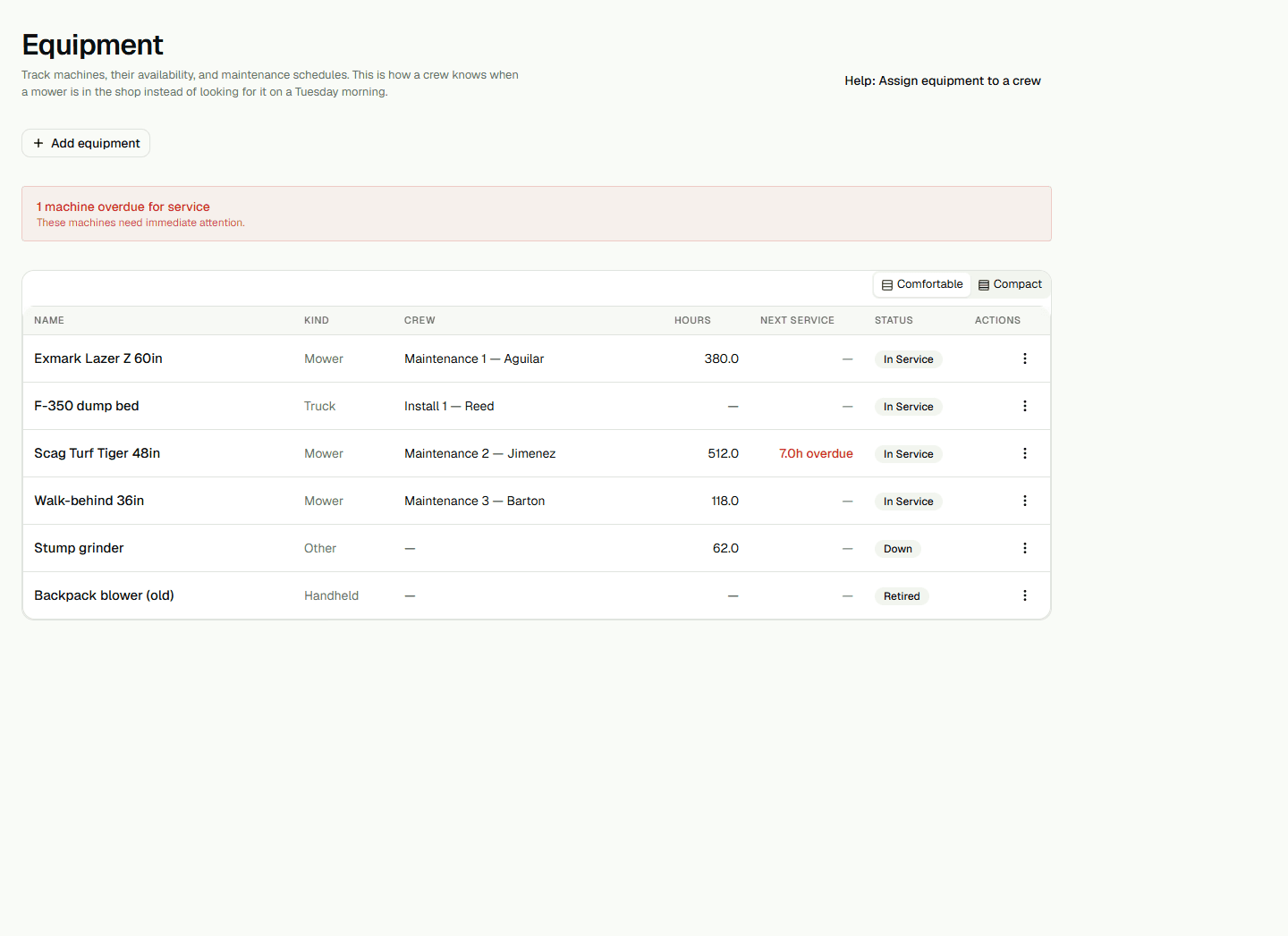
Record service carefully
For an in-service machine with a due row, open Actions and choose Record service. Read the physical meter before entering Current meter reading; it becomes both the current meter and last-service meter. The form accepts tenths of an hour and does not prevent a value lower than the previous reading.
Service notes replace the current service note. This action does not create a separate maintenance-history entry. Reload Equipment and check Hours and Next Service after saving.
Change status or crew
Use Actions to mark a machine down or return it to service. To change its crew, choose Edit, select a crew or Unassigned, and save. The editor remains open after a successful save; Cancel closes it but does not undo the saved assignment.