Send a project or maintenance inquiry
Choose regular upkeep or a one-off project, learn which details are optional, and understand the confirmation.
Tell the business what work you need
Open the inquiry link the business shared with you. You do not need an office account to use the public form.
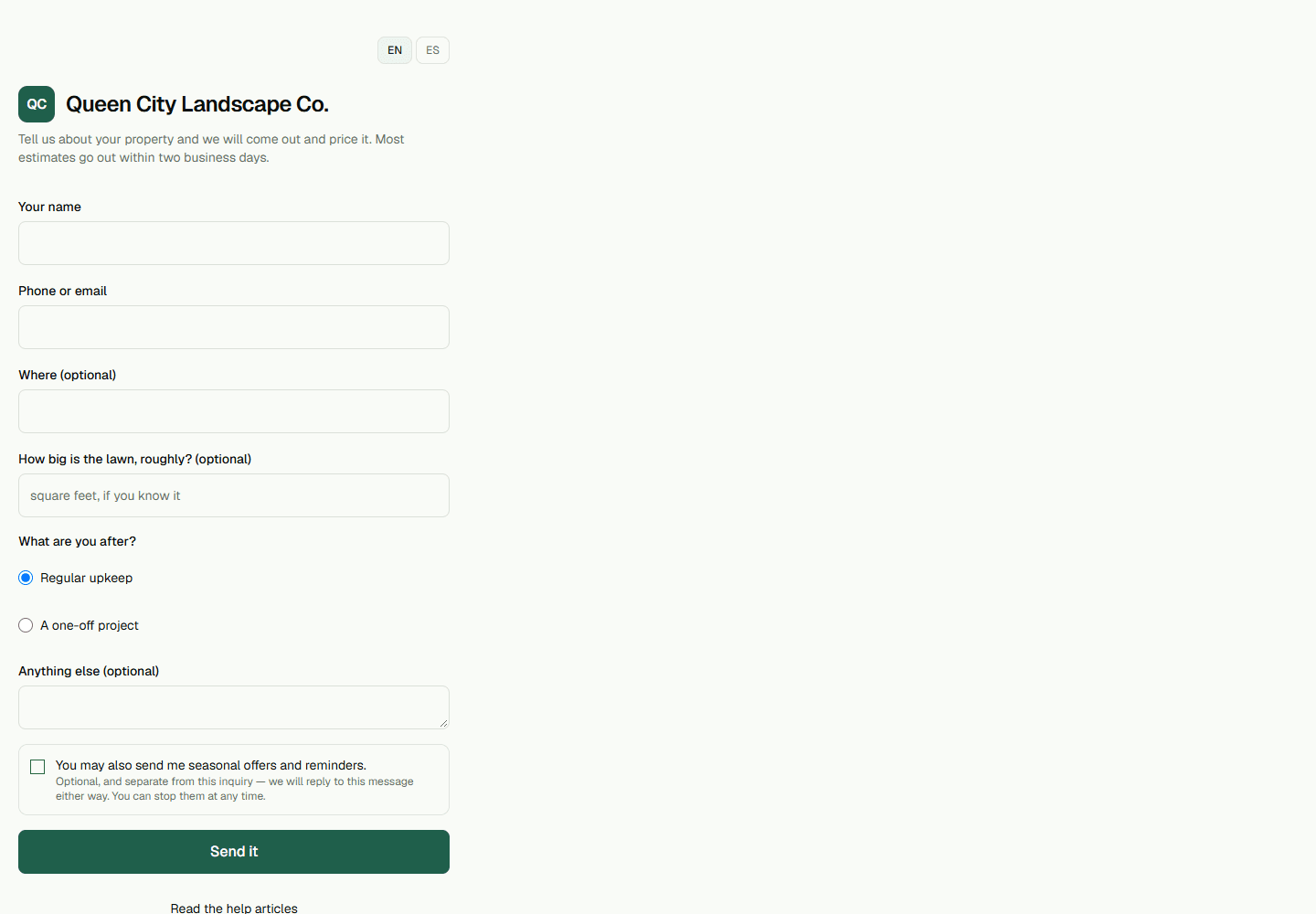
- Enter Your name and one way for the business to reach you in Phone or email.
- Under What are you after?, choose Regular upkeep for ongoing lawn care or A one-off project for a single project.Regular upkeep is selected initially. Choose A one-off project when you are asking about a single project instead.
- Add a location in Where, an approximate lawn size, or extra details if they help explain the work.Where, How big is the lawn, roughly?, and Anything else are optional.
- Leave the seasonal offers and reminders checkbox unchecked if you only want a reply about this inquiry.That separate checkbox is optional; it is not needed for the business to reply to your inquiry.
- Select Send it.The confirmation acknowledges receipt. It is not an appointment confirmation or a promised quote.