First day: set up your business
Set up the company, staff access, price book, plants and first crew before scheduling.
Set up the company
Add the business name and contact details.
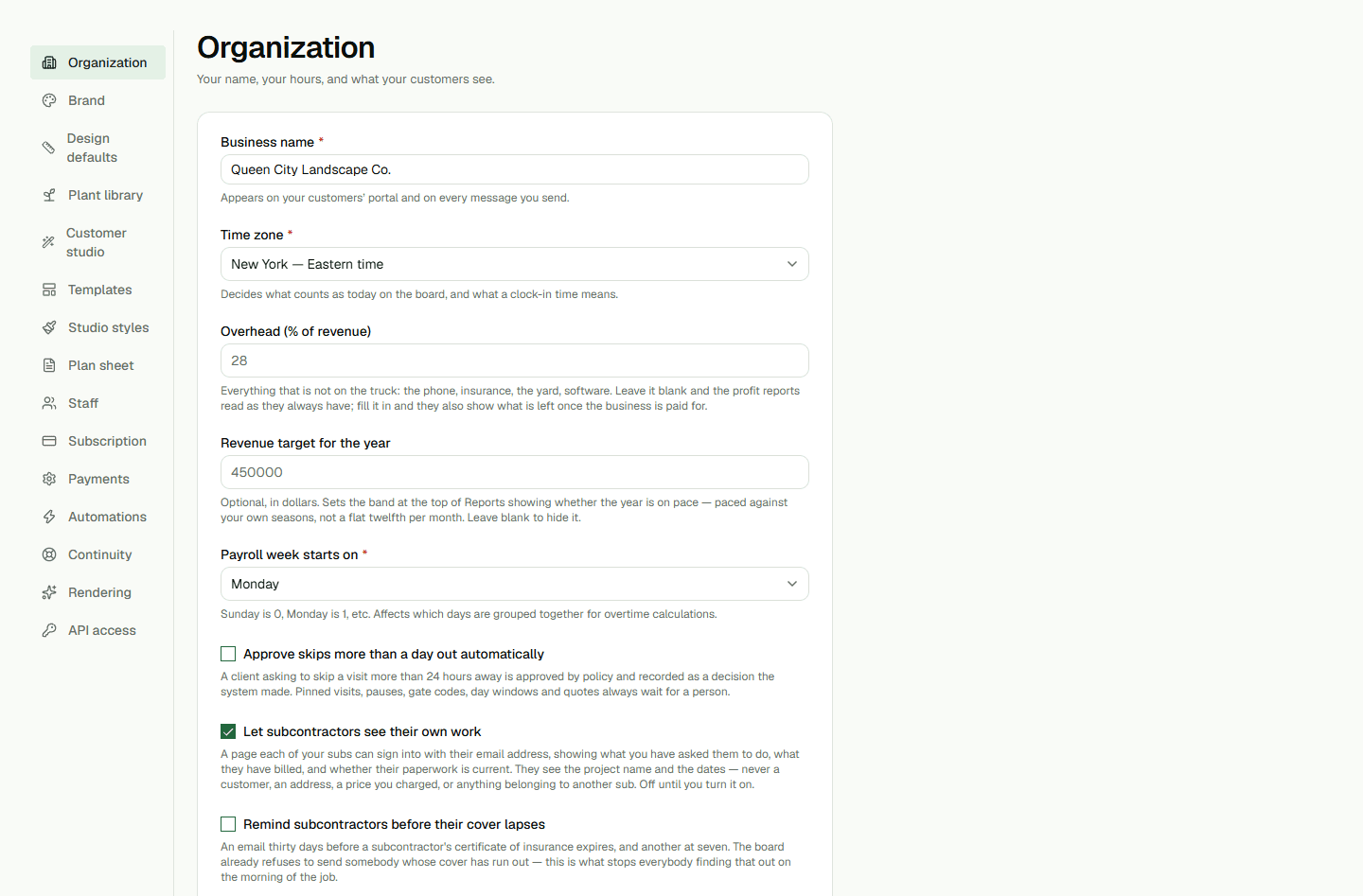
- Open organization settings and confirm company details.
- Save and review the information.
Give staff the right access
Invite staff with the role they need.
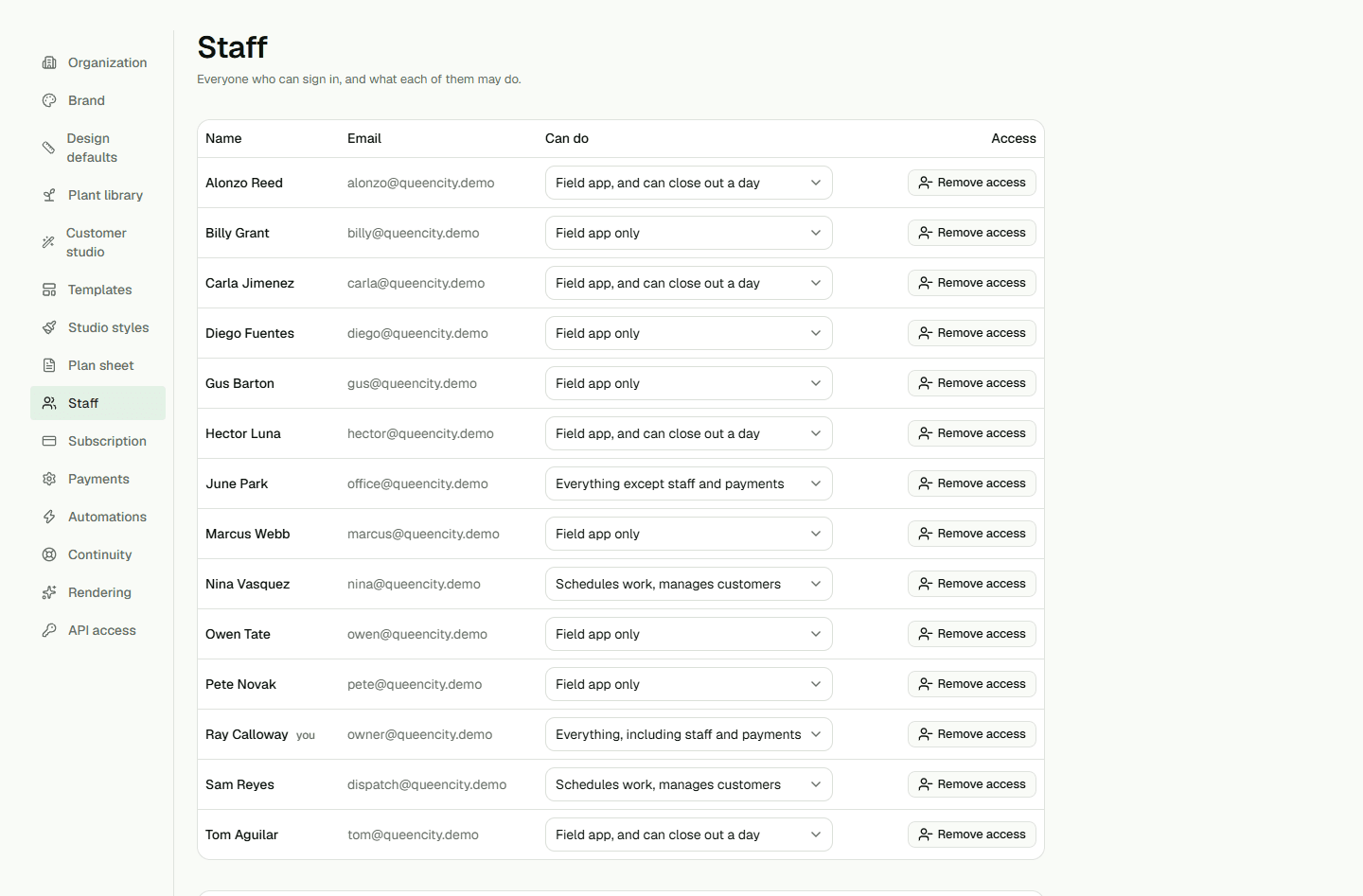
- Invite each team member using their sign-in email.
- Choose a role and review access before sending.
Add prices, plants and a crew
Set up services and materials, review plants, then create a crew.
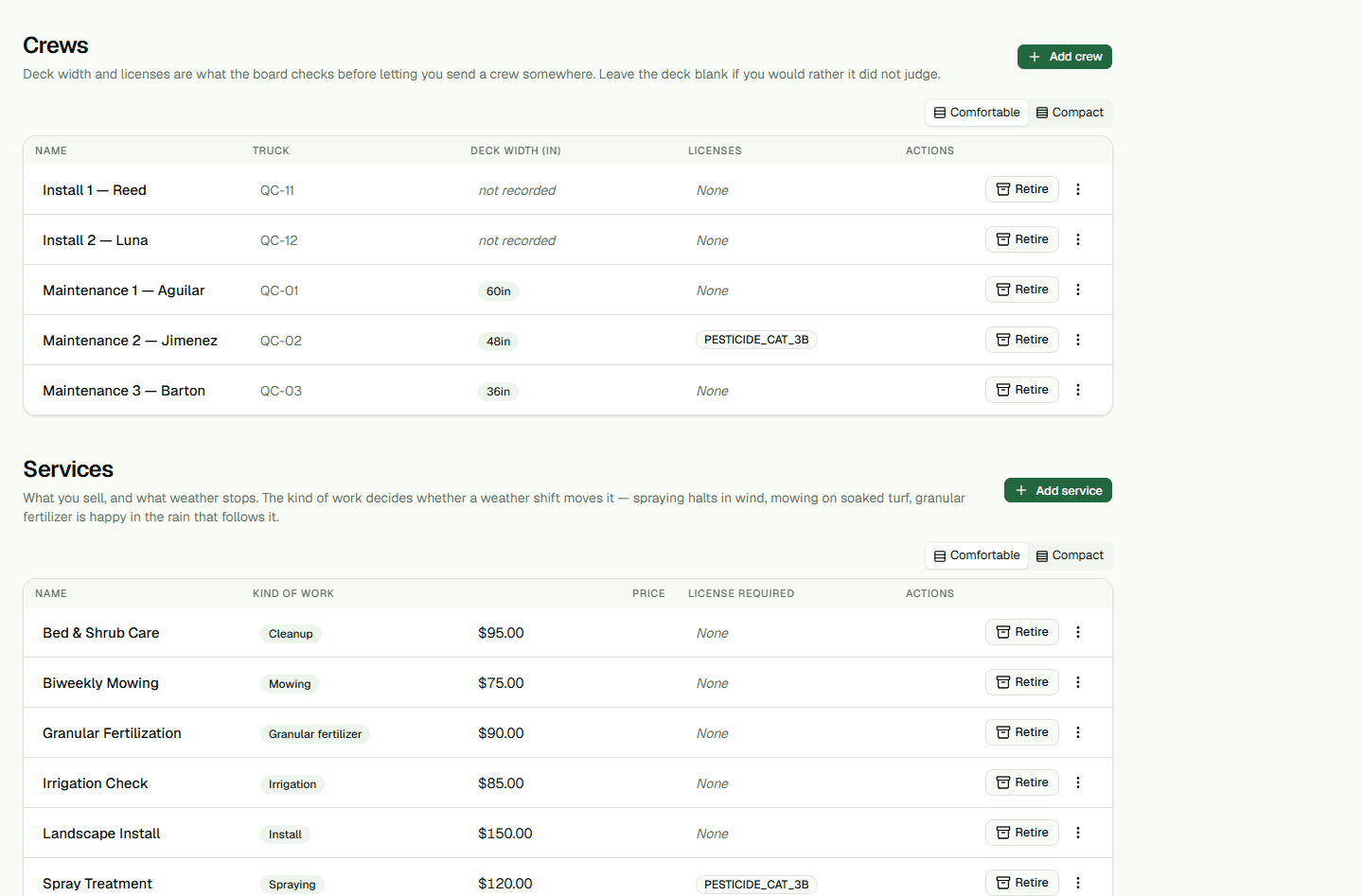
- Add services and materials and review the plant catalog.
- Create the first crew and assign its members.