Manage the plants you install
Maintain your company's installed-plant list and the spread used for Studio canopies.
Add a plant your company installs
Open Price Book and choose Plants we install. This is your organization's list, separate from the shared species and palettes in Plant library. An Admin or Owner can enter a common name; it is the only required field. Botanical name, kind, spread, and height are optional. Choose Add plant. The active list is ordered by common name.
Spread means width at maturity. Studio uses a saved spread for the canopy and falls back to its kind default when spread is blank. Height is saved with the plant record; this guide does not claim a separate drawing or estimating effect for it.
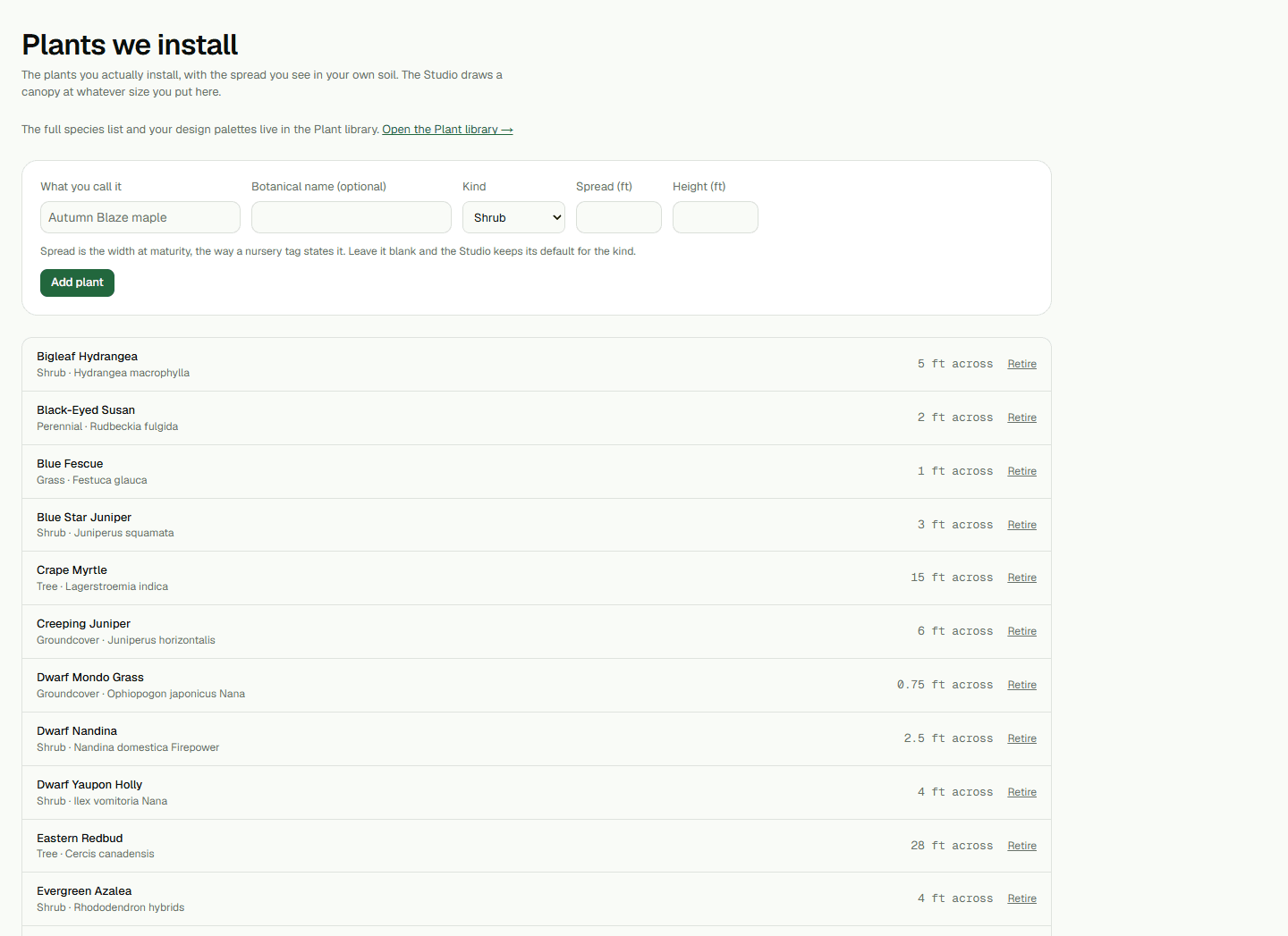
- Enter the common name and, if useful, a botanical name, kind, spread, or height.
- Choose Add plant and review the item in the active list.
Retire an installed plant
Choose Retire to deactivate a plant and remove it from the active list. The record is retained because existing designs may reference it. This page does not offer editing, search, bulk changes, or a restore control. Use Plant library for the full species list or design palettes.