Control AI preview access and spending
Review whether previews can be requested, the monthly spending ceiling, and recent render jobs.
Review the current controls
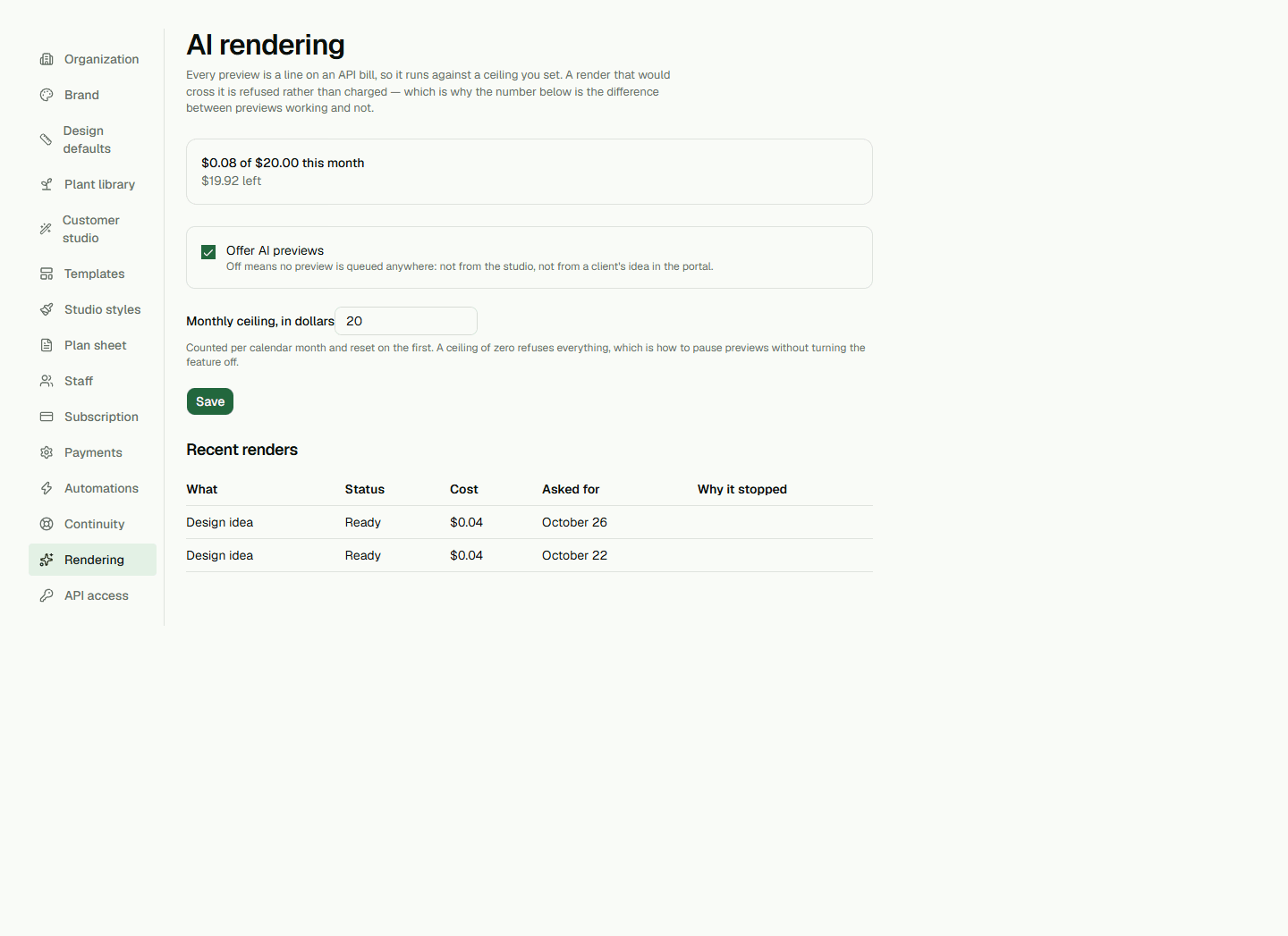
Open Setup, then Rendering. Admins and Owners can view the page; only an Owner can save changes. The page shows whether AI previews are offered and the current monthly ceiling. This switch controls whether new preview requests can be queued; it does not change image quality or speed.
Set and save a ceiling
Enter a whole-dollar monthly ceiling from $0 through $500 and choose Save. A ceiling of $0 refuses every render even if previews are enabled. A new render is refused if its estimated cost would take spending above the ceiling. The monthly meter counts completed renders for the current calendar month.
After saving, read the status message. If a value is invalid or the save fails, the page reports an error and the settings are not saved. There is no reset button.
Check recent renders
Recent renders lists up to 20 jobs with their kind, status, cost, requested time, and any reason they stopped. The monthly meter counts completed renders only. Requested dates use your organization's time zone.